Data Engineering Path · Airflow

Operators — The Building Blocks of Tasks
Operators Define What a Task Does
An Operator is a class that acts as a template for a task. When you instantiate an operator, you create a task. Airflow provides dozens of built-in operators and the provider ecosystem adds hundreds more.
Operator Hierarchy
graph TD
    BASE["BaseOperator"] --> ACTION["Action Operators"]
    BASE --> TRANSFER["Transfer Operators"]
    BASE --> SENSOR["Sensors"]
    ACTION --> PYTHON["PythonOperator"]
    ACTION --> BASH["BashOperator"]
    ACTION --> EMAIL["EmailOperator"]
    ACTION --> EMPTY["EmptyOperator"]
    TRANSFER --> S3SQL["S3ToSnowflakeOperator"]
    TRANSFER --> GCSBD["GCSToBigQueryOperator"]
    SENSOR --> S3["S3KeySensor"]
    SENSOR --> HTTP["HttpSensor"]
    SENSOR --> FILE["FileSensor"]
    style BASE fill:#017cee,stroke:#015bb5,color:#fff
    style ACTION fill:#4CAF50,stroke:#388E3C,color:#fff
    style TRANSFER fill:#FF9800,stroke:#F57C00,color:#fff
    style SENSOR fill:#9C27B0,stroke:#7B1FA2,color:#fff
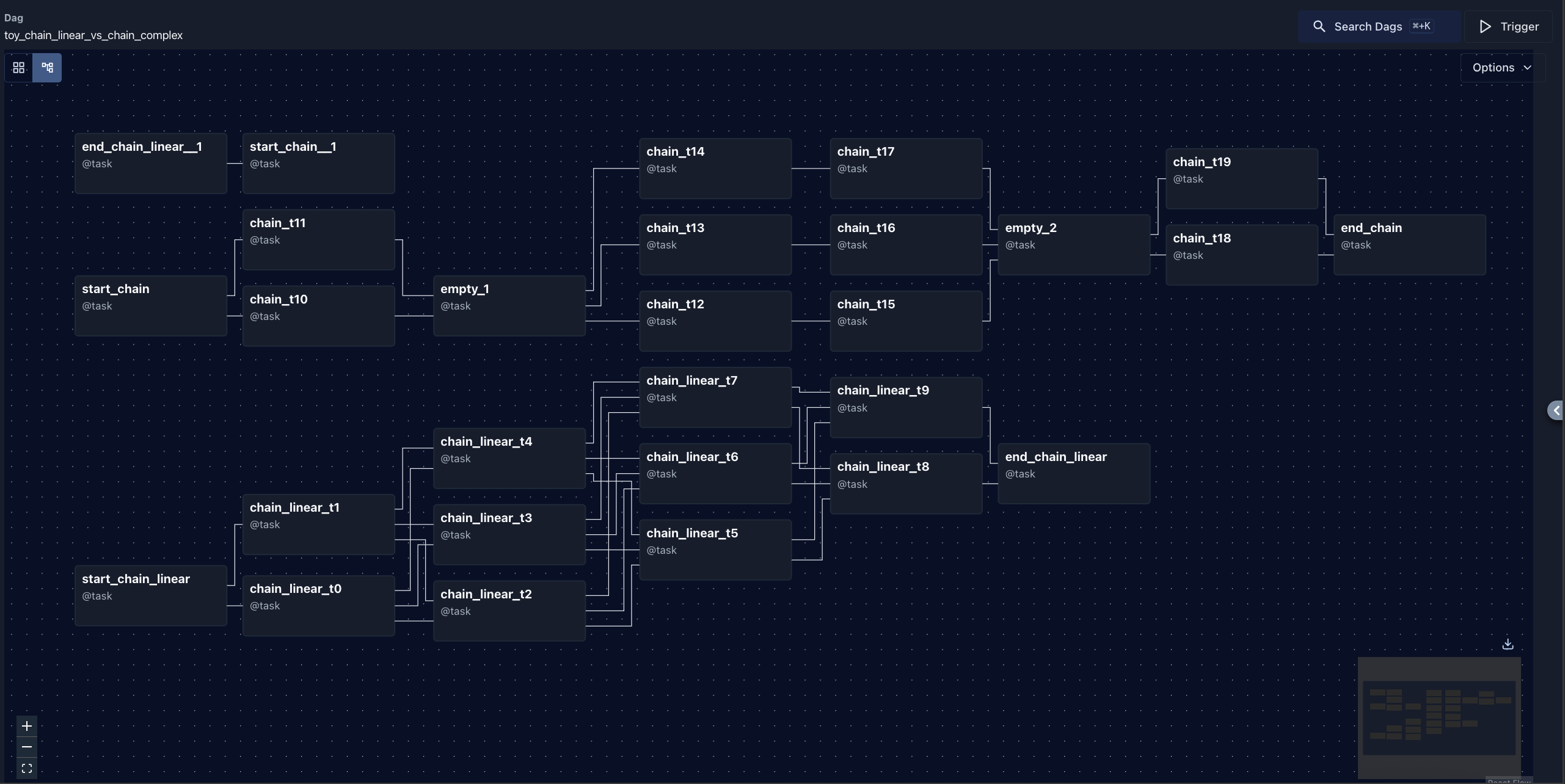
Visualizing Tasks in the Graph View
The relationships and dependencies you define between operators are compiled into a Directed Acyclic Graph (DAG) and visualized inside the Airflow Web UI's Graph View. This allows you to inspect the logical structure of tasks and track their state dynamically during execution:
Most Used Operators
PythonOperator
The most versatile operator — runs any Python function:
from airflow.providers.standard.operators.python import PythonOperator

def extract_data(**kwargs):
    """Extract data from API and return metadata."""
    import requests
    response = requests.get("https://api.example.com/sales")
    data = response.json()

    # Push result count to XCom for downstream tasks
    kwargs['ti'].xcom_push(key='record_count', value=len(data))

    return data

extract_task = PythonOperator(
    task_id="extract_from_api",
    python_callable=extract_data,
    provide_context=True,
)
BashOperator
Run shell commands:
from airflow.providers.standard.operators.bash import BashOperator

run_script = BashOperator(
    task_id="run_dbt_models",
    bash_command="cd /dbt && dbt run --target production",
    env={"DBT_PROFILE": "snowflake_prod"},
)
EmptyOperator
A no-op task used as a visual marker or join point:
from airflow.operators.empty import EmptyOperator

start = EmptyOperator(task_id="pipeline_start")
end = EmptyOperator(task_id="pipeline_end", trigger_rule="none_failed")

start >> [extract_a, extract_b, extract_c] >> end
📘 Note
In Airflow 2.x+,
In Airflow 2.x+,
DummyOperator has been renamed to EmptyOperator. Both work, but EmptyOperator is the modern name.
The TaskFlow API Alternative
For most Python-based tasks, the TaskFlow API is cleaner than using PythonOperator:
from airflow.sdk import dag, task
from datetime import datetime

@dag(schedule="@daily", start_date=datetime(2024, 1, 1), catchup=False)
def sales_pipeline():

    @task()
    def extract():
        import requests
        response = requests.get("https://api.example.com/sales")
        return response.json()  # Automatically pushed to XCom

    @task()
    def transform(raw_data: list):
        return [{"amount": r["amount"] * 1.1} for r in raw_data]

    @task()
    def load(transformed_data: list):
        print(f"Loading {len(transformed_data)} records to warehouse")

    # XCom passing is automatic!
    raw = extract()
    cleaned = transform(raw)
    load(cleaned)

sales_pipeline()
💡 Tip
The TaskFlow API automatically handles XCom serialization. Return values from
The TaskFlow API automatically handles XCom serialization. Return values from
@task functions are pushed to XCom, and input parameters are pulled from XCom. No more manual xcom_push / xcom_pull!