Testing Your DAGs
Three Levels of DAG Testing
| Level | What It Tests | Tools |
|---|---|---|
| DAG Validation | DAG loads without errors, no import issues | airflow dags test, pytest |
| Unit Testing | Individual task logic works correctly | pytest, unittest |
| Integration Testing | End-to-end pipeline with real connections | Docker Compose, staging env |
Level 1: DAG Validation Tests
# tests/test dag validation.py
import pytest
from airflow.models import DagBag

@pytest.fixture()
def dag_bag():
    return DagBag(dag_folder="dags/", include_examples=False)

def test_no_import_errors(dag_bag):
    """Ensure all DAGs load without import errors."""
    assert len(dag_bag.import_errors) == 0, \
        f"DAG import errors: {dag_bag.import_errors}"

def test_dag_ids_unique(dag_bag):
    """Ensure no duplicate DAG IDs."""
    dag_ids = [dag.dag_id for dag in dag_bag.dags.values()]
    assert len(dag_ids) == len(set(dag_ids)), "Duplicate DAG IDs found!"

def test_dag_has_tags(dag_bag):
    """Ensure all DAGs have at least one tag."""
    for dag_id, dag in dag_bag.dags.items():
        assert dag.tags, f"DAG '{dag_id}' has no tags!"

def test_dag_has_description(dag_bag):
    """Ensure all DAGs have descriptions."""
    for dag_id, dag in dag_bag.dags.items():
        assert dag.description, f"DAG '{dag_id}' has no description!"
Level 2: Unit Testing Task Logic
# tests/test transforms.py
import pytest
from dags.daily_sales_etl import transform_sales_data

def test_transform_filters_negative_amounts():
    raw = [{"id": 1, "amount": "100"}, {"id": 2, "amount": "-50"}]
    result = transform_sales_data(raw)
    assert len(result) == 1
    assert result[0]["amount"] == 100.0

def test_transform_handles_missing_currency():
    raw = [{"id": 1, "amount": "100"}]
    result = transform_sales_data(raw)
    assert result[0]["currency"] == "USD"

def test_transform_empty_input():
    result = transform_sales_data([])
    assert result == []
CLI Testing Commands
# Test a DAG for a specific date
airflow dags test daily_sales_etl 2024-01-15

# Test a single task
airflow tasks test daily_sales_etl extract 2024-01-15

# Validate DAG syntax
airflow dags list-import-errors
Add DAG validation tests to your CI/CD pipeline. This catches import errors, missing dependencies, and syntax issues before they reach production. A basic
DagBag test takes seconds to run and prevents hours of debugging.
Visualizing Pipeline Runs & Logs in the UI
Once you deploy your DAG and trigger runs, you can monitor execution history and debug errors visually using the Web UI.
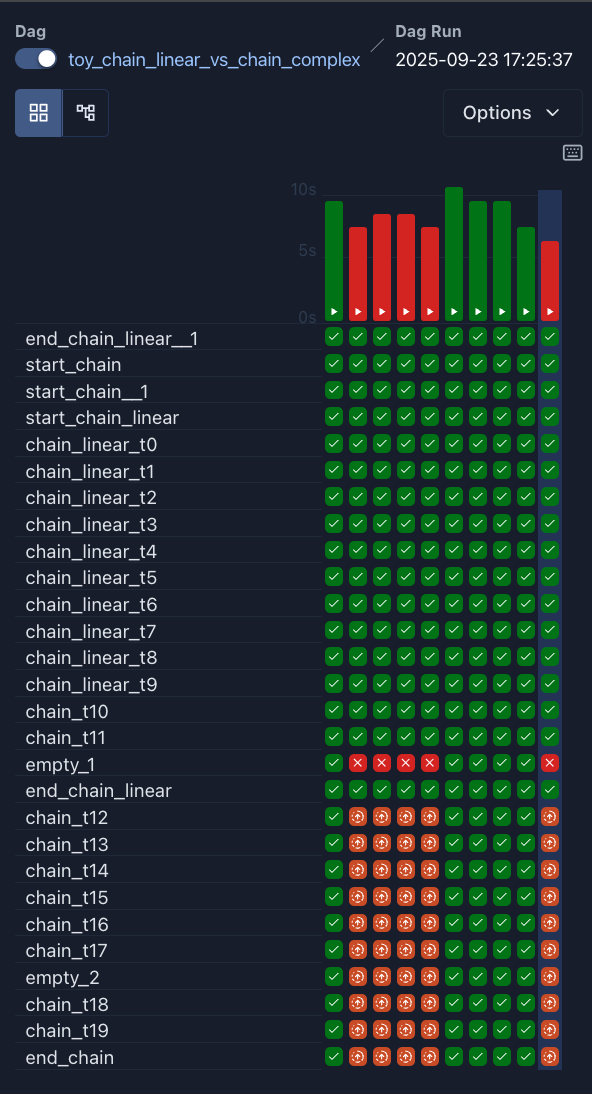
1. Grid View (Tracking Statuses Over Time)
The Grid View displays a timeline bar chart of DAG runs along with a status grid representing every task instance. As tasks run, their blocks on the screen dynamically change color:
- 🟢 Green (
success): The task completed cleanly. The scheduler moves on to triggering dependent downstream tasks. - 🔴 Red (
failed): The task encountered an exception or error and exceeded its retry limit. Downstream tasks are halted. - 🟡 Lime (
running): The task is actively running on a worker node. - 🟠 Orange (
up_for_retry): The task failed its first attempt and is waiting in a retry delay timer before re-attempting.
Failures are instantly highlighted in red, allowing you to trace bottlenecks or recurrent issues over time:
2. Task Logs & Live Monitoring (Debugging Failures)
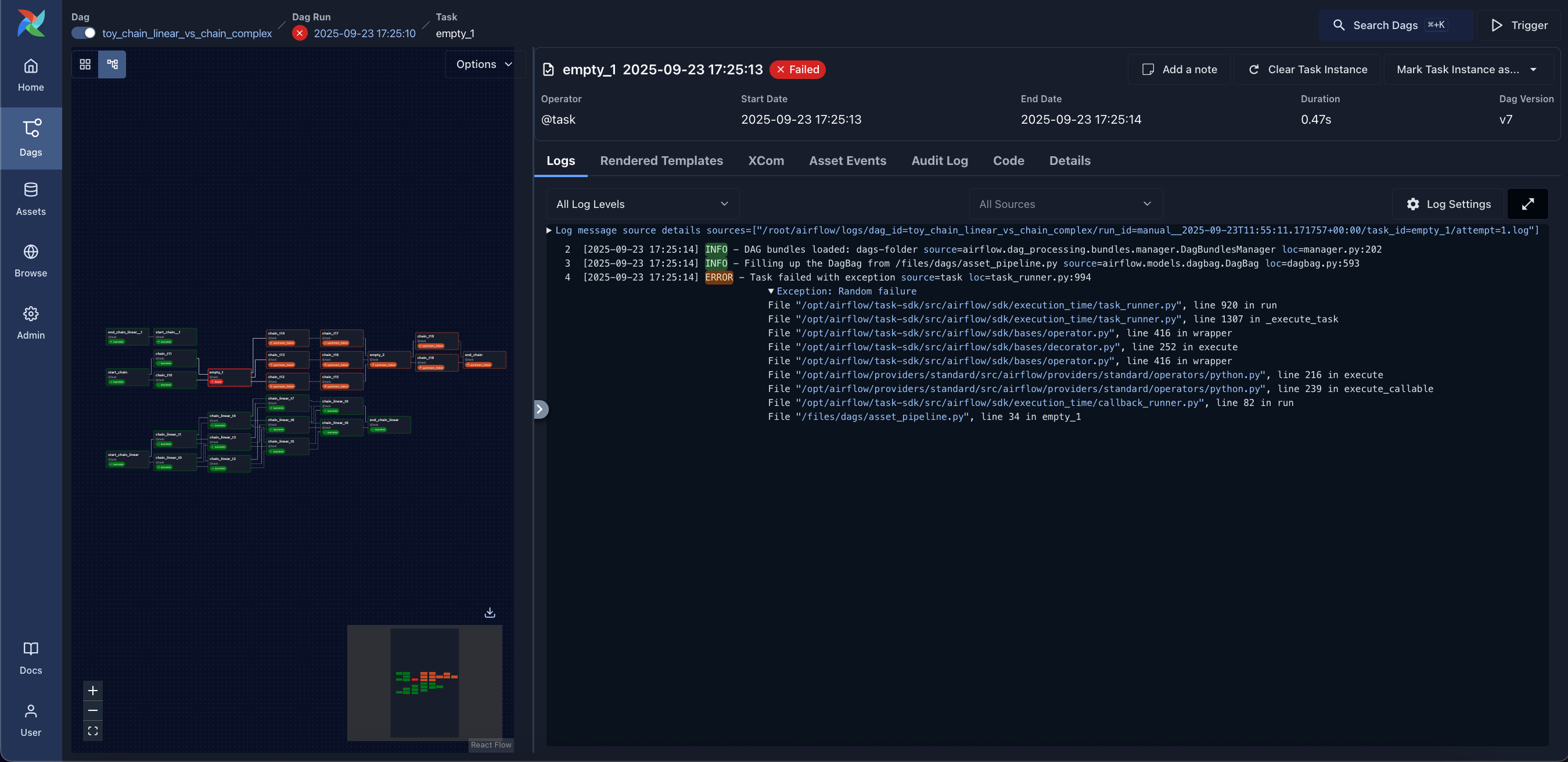
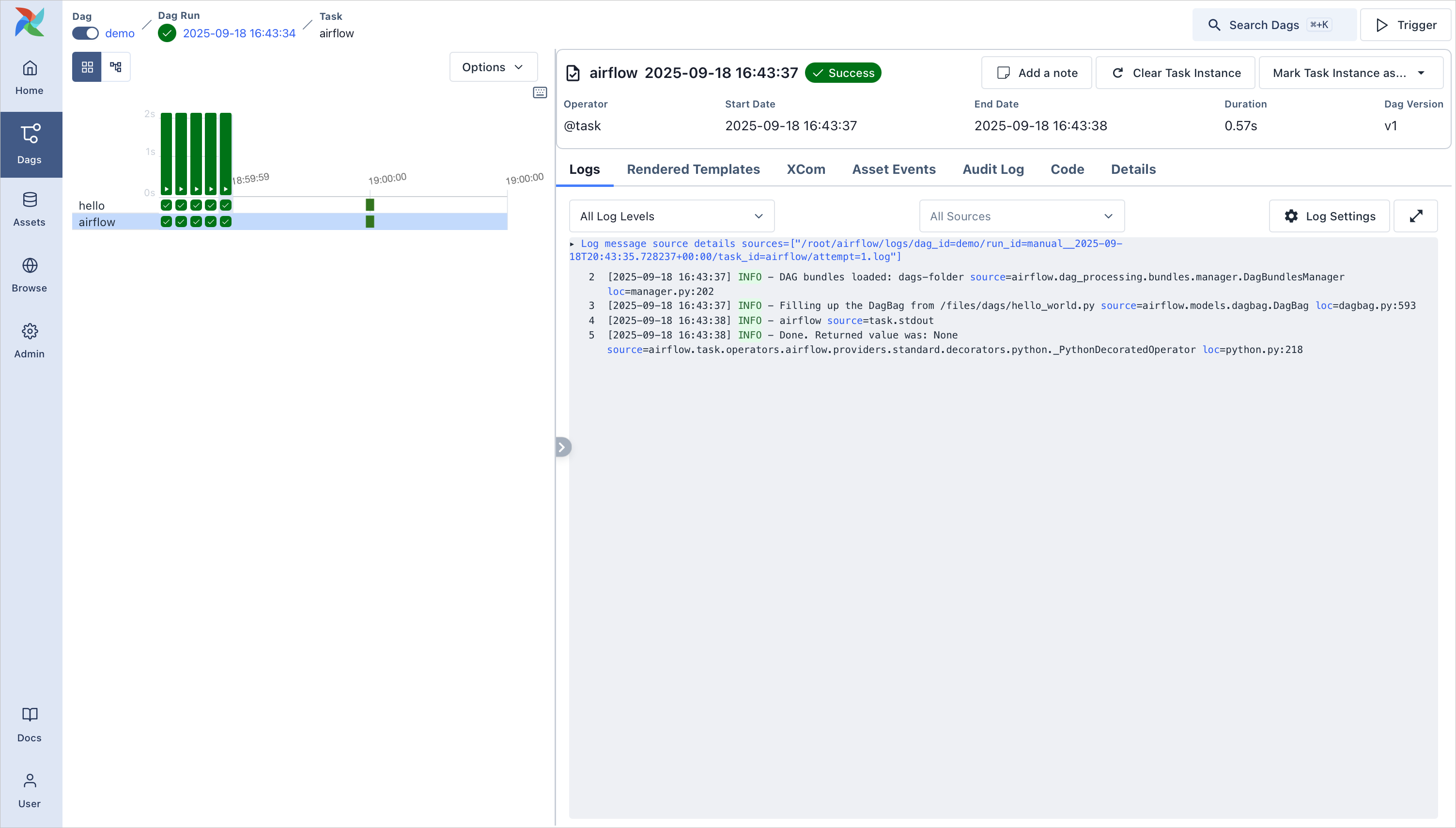
If a task instance fails, you can access its stdout/stderr logs by clicking on the red task block in the Grid or Graph view and selecting the Logs tab. Airflow indexes execution logs in real-time, helping you pin down Python runtime exceptions or external connection failures instantly:
When monitoring complex DAGs with multiple tasks, the Grid View provides an integrated inspection panel where you can switch between task logs, asset events, and runtime details:
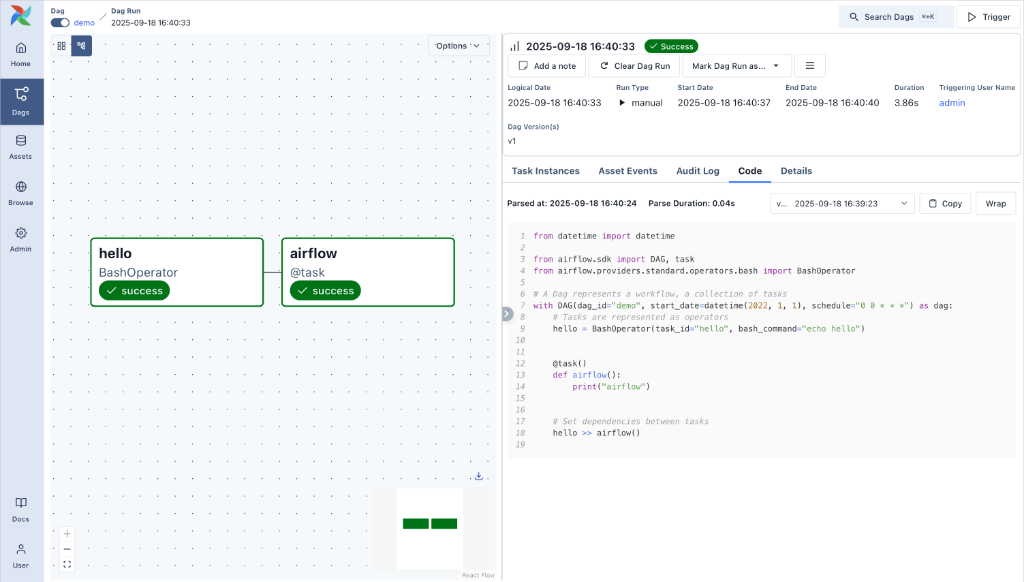
3. Graph View & Live Code Inspection
When monitoring your DAG runs, switching to the Graph View allows you to see dependencies in real time while simultaneously viewing your Python code or inspecting task instance details in the split panel: