
Datasets & Data-Aware Scheduling
Scheduling on "Data Changed," Not Just "Time Passed"
Every DAG covered so far schedules on a cron expression or nothing at all. Datasets (added in Airflow 2.4) add a third option: schedule a DAG to run the moment specific upstream data actually changes - not at a guessed time when it's probably ready.
The Problem With Time-Based Chaining
Before Datasets, coordinating two DAGs where one depends on another's output meant either merging them into one DAG, or scheduling the downstream one "a bit after" the upstream — 0 7 * * * for the producer, 0 8 * * * for the consumer, hoping an hour is always enough. It's the exact same fragility as the cron problem this course opened with, just one level up: DAG-to-DAG instead of task-to-task.
Declaring a Dataset
A Dataset is just a URI — a string identifying a piece of data, most often (but not necessarily) a real path:
from airflow.datasets import Dataset

orders_dataset = Dataset("s3://data-lake/orders/daily.csv")
Producing: Marking a Task as an Outlet
from airflow.decorators import dag, task
from airflow.datasets import Dataset
from datetime import datetime

orders_dataset = Dataset("s3://data-lake/orders/daily.csv")

@dag(schedule=None, start_date=datetime(2024, 1, 1), catchup=False)
def produce_orders_dataset():

    @task(outlets=[orders_dataset])
    def extract_and_load_orders():
        ...  # writes the real file to S3
        print("Wrote a fresh orders/daily.csv to the data lake")

    extract_and_load_orders()

produce_orders_dataset()
outlets=[orders_dataset] is the entire contract: when this task succeeds, Airflow records that this Dataset was updated — nothing else changes about how the task runs.
Consuming: Scheduling on a Dataset Instead of a Cron Expression
@dag(
    schedule=[orders_dataset],   # a list of Datasets, instead of a cron string
    start_date=datetime(2024, 1, 1),
    catchup=False,
)
def consume_orders_dataset():

    @task()
    def refresh_dashboard():
        print("orders/daily.csv changed - refreshing the dashboard")

    refresh_dashboard()

consume_orders_dataset()
That's it — no polling, no sensor, no guessed offset. The moment produce_orders_dataset finishes updating the Dataset, consume_orders_dataset is scheduled automatically.
Run for real: triggering the producer, and watching the consumer fire on its own, with zero manual intervention:
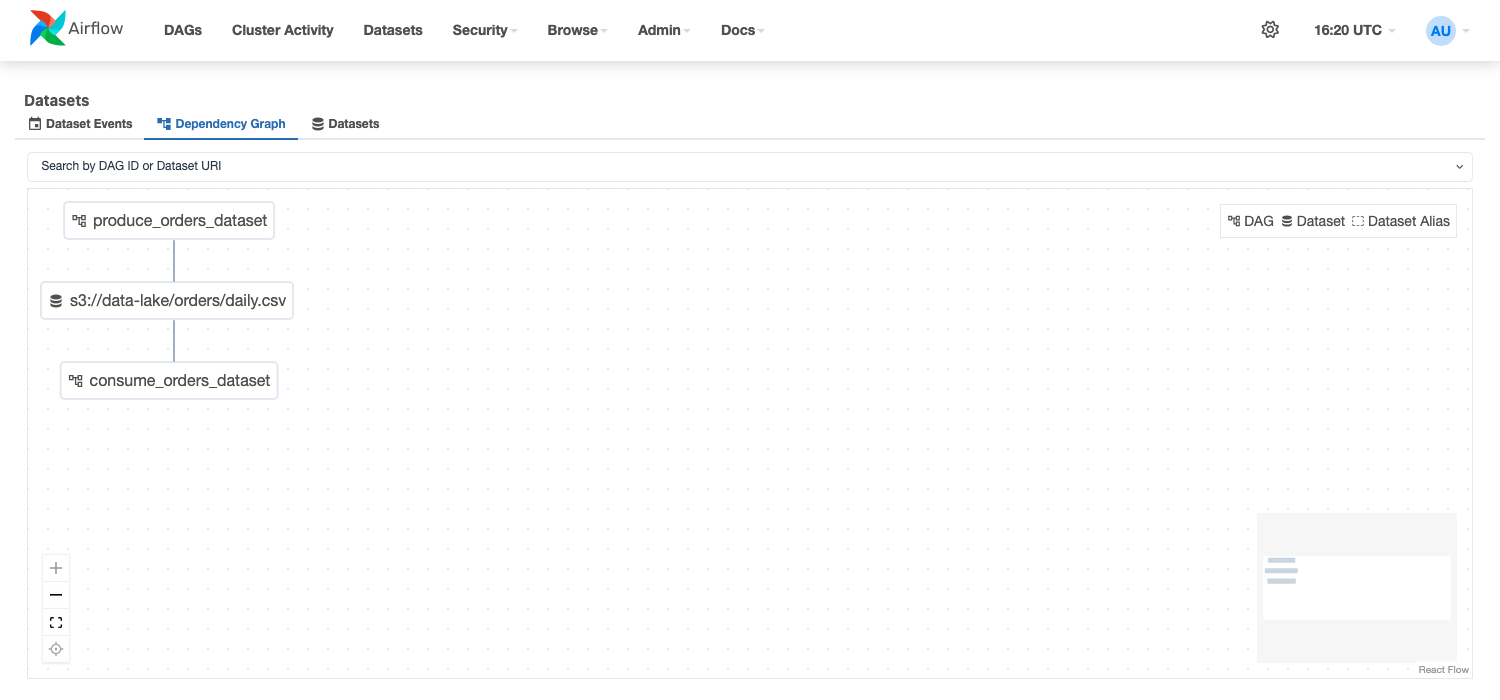 Figure — the dedicated Dependency Graph view shows the exact chain: a producing DAG, the Dataset it updates, and every DAG scheduled on it — genuinely useful for tracing relationships that span DAG boundaries.
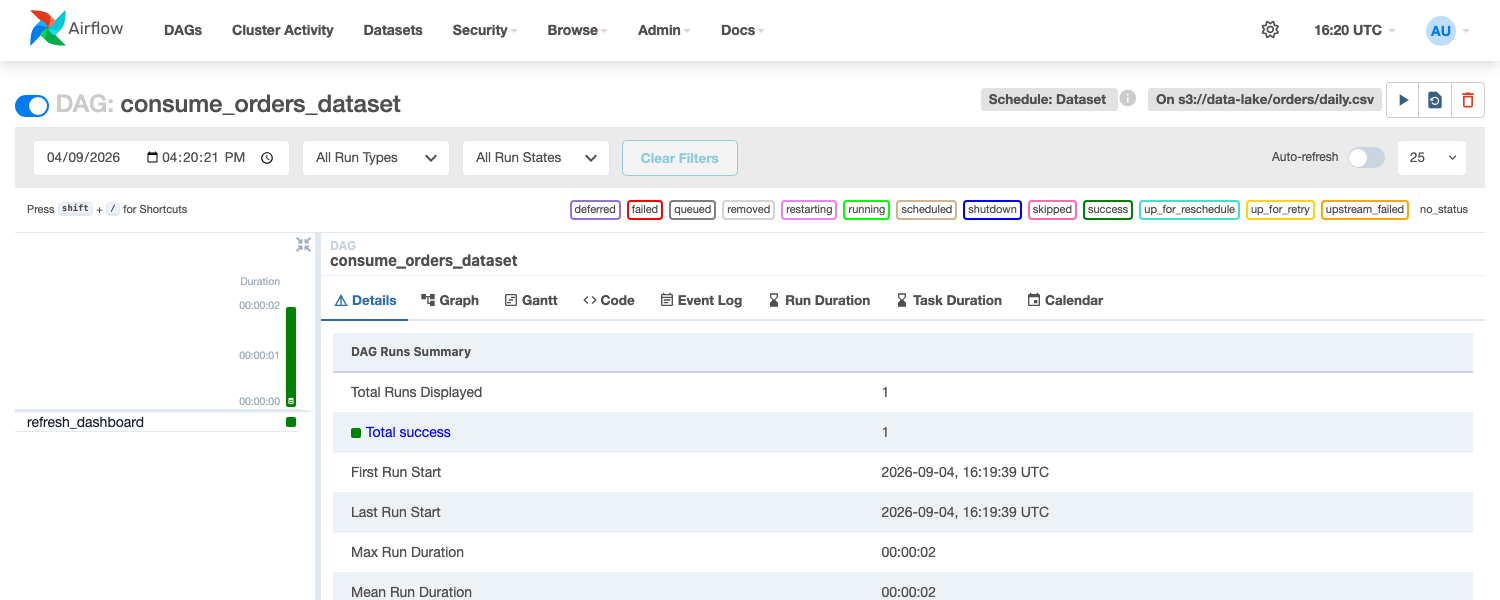 Figure — the consumer's own schedule configuration confirms it: not a cron expression, but the Dataset itself. This run fired the moment the producer finished, with no manual trigger.
Multiple Datasets — AND Logic by Default
@dag(schedule=[orders_dataset, customers_dataset], ...)
def consume_multiple():
    ...
A DAG scheduled on multiple Datasets waits for all of them to update at least once since its last run before triggering — not any single one. This is the built-in equivalent of a fan-in join across DAG boundaries.
Datasets and cron schedules are not mutually exclusive across a pipeline - it's common to have a handful of producer DAGs still on time-based schedules (because their own upstream source is time-based, like a nightly file drop) feeding a web of consumer DAGs that are entirely Dataset-scheduled from that point on.