
Cross-DAG Dependencies — Three Ways to Connect DAGs
Picking the Right Tool for "DAG B Depends on DAG A"
By now this course has covered three genuinely different mechanisms for connecting separate DAGs: ExternalTaskSensor (wait and poll), TriggerDagRunOperator (push a trigger), and Datasets (declare the data relationship). This page puts them side by side so the choice is obvious instead of arbitrary.
The Three Mechanisms
| How it works | Who initiates | |
|---|---|---|
| ExternalTaskSensor | Downstream DAG polls, waiting for a specific task in an upstream DAG to reach a target state | The downstream DAG watches |
| TriggerDagRunOperator | Upstream DAG explicitly triggers a run of the downstream DAG when it finishes | The upstream DAG pushes |
| Dataset scheduling | Downstream DAG's schedule itself is defined as "when this Dataset updates" | Neither — the Dataset is the contract |
TriggerDagRunOperator — Push a Trigger
from airflow.operators.trigger_dagrun import TriggerDagRunOperator

trigger_downstream = TriggerDagRunOperator(
    task_id="trigger_downstream_pipeline",
    trigger_dag_id="downstream_pipeline",
    wait_for_completion=False,  # see the callout below before setting this True
    conf={"triggered_by": "upstream_pipeline"},
)
Run for real — the upstream DAG's task explicitly starting a run of the downstream one:
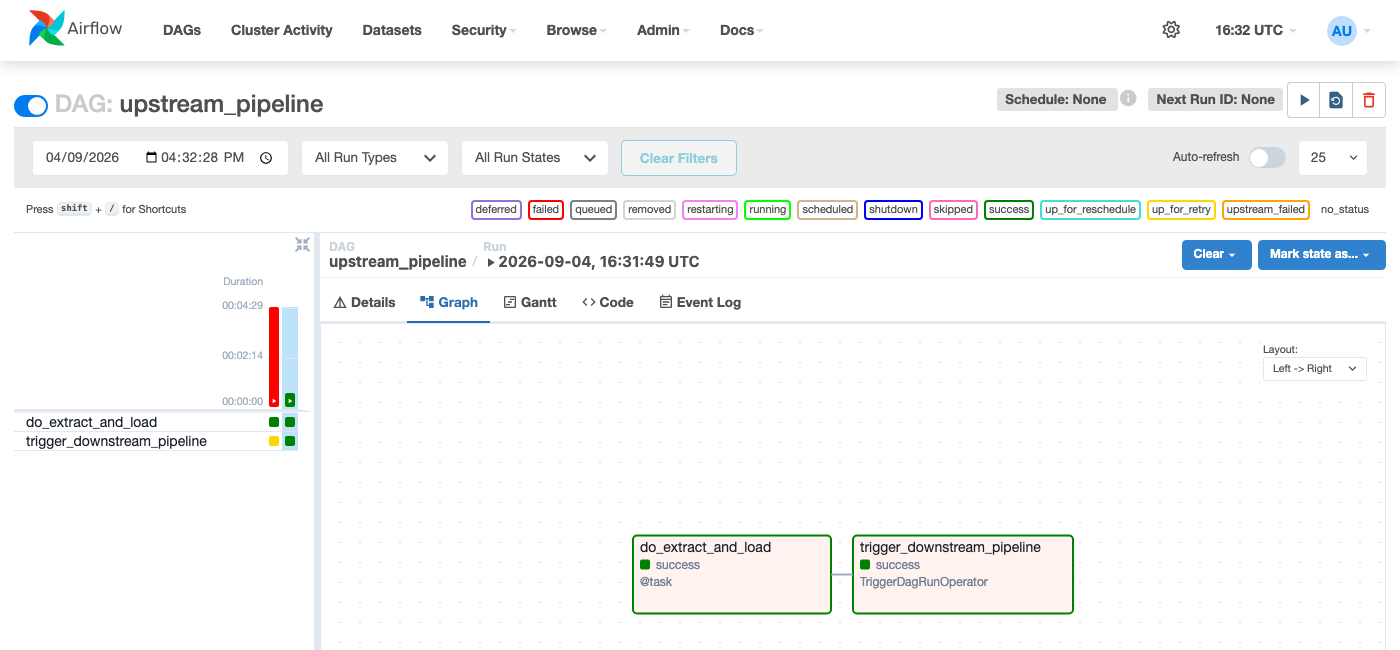 Figure —
 TriggerDagRunOperator is just another task in the Graph View; wait_for_completion=True means it doesn't report success until the downstream run finishes too.
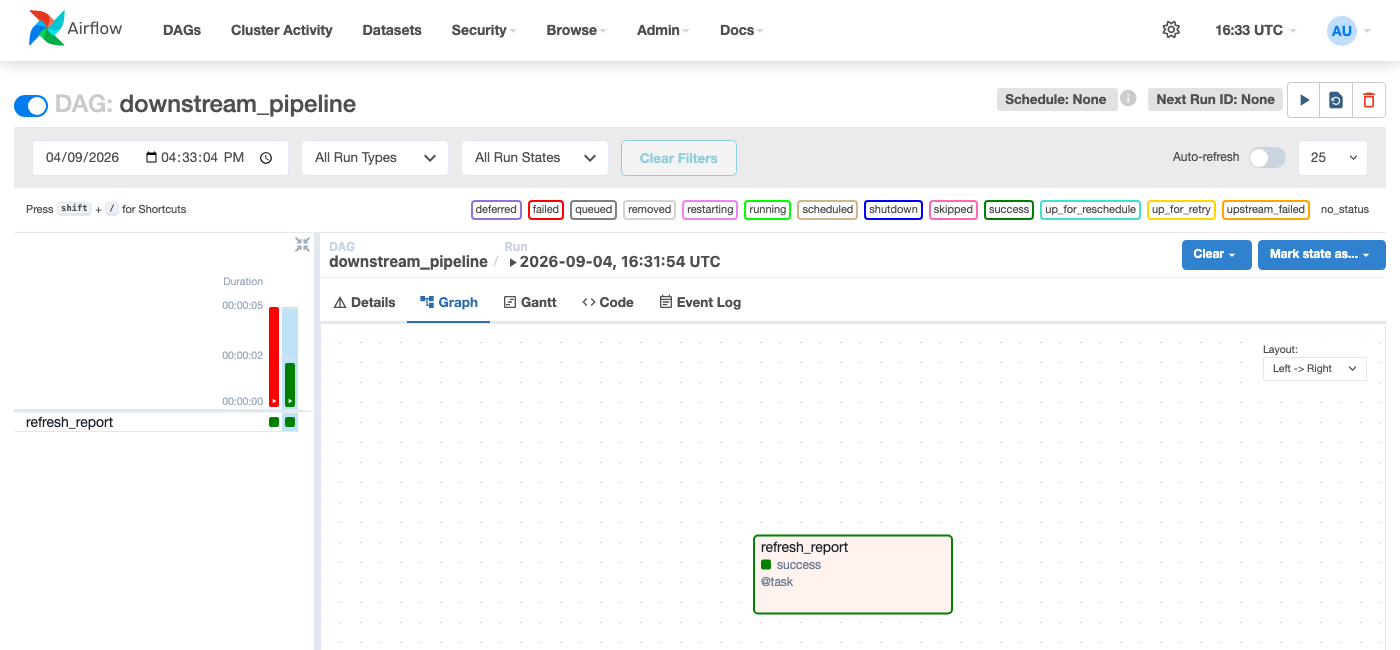 Figure — the downstream DAG's run, started entirely by the upstream DAG's task, no manual click or schedule involved.
The
conf dict passed to TriggerDagRunOperator becomes the triggered DAG run's dag_run.conf - readable inside the downstream DAG via {{ dag_run.conf }} in a template, or context["dag_run"].conf in a Python callable. It's the cleanest way to pass a handful of values (a date, a file path, a record ID) across the DAG boundary.
wait_for_completion=True makes the upstream task block, polling until the downstream run finishes - fine with any executor that runs multiple tasks in parallel. With SequentialExecutor (one task at a time, ever), that blocked upstream task permanently occupies the only execution slot, and the downstream task it's waiting for can never start - a genuine deadlock. This is exactly what happened capturing this page's screenshots, and is fixed below with wait_for_completion=False. In production, this only matters if you're still on SequentialExecutor, which this course has already covered as dev/test-only for exactly this class of reason.
Choosing Between the Three
flowchart TD
    A["Does downstream need to react\nto data changing, from ANY source\n(not just one specific upstream DAG)?"] -->|"Yes"| B["Use a Dataset"]
    A -->|"No - it's specifically\nabout one other DAG"| C["Does upstream know about\ndownstream, or should it\nstay decoupled?"]
    C -->|"Upstream should push\nand not know details"| D["TriggerDagRunOperator"]
    C -->|"Downstream should\nwatch and decide when\nit's ready to proceed"| E["ExternalTaskSensor"]
    style B fill:#4285F4,stroke:#3367D6,color:#fff
    style D fill:#34A853,stroke:#2A8644,color:#fff
    style E fill:#FF9800,stroke:#F57C00,color:#fff
In practice: Datasets have become the default choice for new pipelines since Airflow 2.4 — they're declarative, show up in the Datasets UI, and don't hardcode DAG IDs into each other. TriggerDagRunOperator and ExternalTaskSensor remain the right call when the relationship is tightly coupled and explicit control over timing matters (e.g., "wait for completion, then immediately proceed" is more direct with TriggerDagRunOperator's wait_for_completion=True than modeling it as a Dataset).